Skip to content
QUBRA PRIVACYInstall mobile
Meet QUBRA PRIVACYYour wallet. Your business.Keep your assets private, wherever you use QUBRA PRIVACY.Explore all products→

Apps

Extension→For Chrome, Brave, and Edge.Mobile→For Android and iOS.Portal→A full-page workspace, in the extension.

Tools

UsernamesA name people can find and pay. (opens in a new tab)Network Guard→Connect your VPN app to QUBRA PRIVACY.RailscanExplore public Railgun activity. (opens in a new tab)
All downloads→Release notes→
Learn with QUBRA PRIVACYA guide for every next step.From your first shield to connecting a dApp.Explore Learn→
Getting startedSet up your wallet and make your first transfer. (opens in a new tab)TutorialsStart with shielding and unshielding your assets. (opens in a new tab)Names & profilesMake your wallet easier to find and pay. (opens in a new tab)Privacy & securityUnderstand your keys, data, and privacy controls. (opens in a new tab)
All documentation→Sources & verification→
Build with QUBRA PRIVACYBring your app to the wallet.Connect accounts, request permissions, and integrate QUBRA PRIVACY.Read the integration guide
DApp integrationConnect your application to QUBRA PRIVACY. (opens in a new tab)
SDKComing soonTools for building with QUBRA PRIVACY.
PrimitivesComing soonThe building blocks behind QUBRA PRIVACY.
Stay connectedA little help goes a long way.Ask a question, share an idea, or meet the community.Join the conversation
Contact→Get in touch with the QUBRA PRIVACY team.SupportFind help in our Discord community. (opens in a new tab)Releases→What changed, version by version.Privacy→How we handle your information.Terms of service→The terms for using QUBRA PRIVACY.
Railscan (opens in a new tab)
EN ▾
English中文 (CN)한국어 (KR)Русский (RU)日本語 (JP)EspañolFrançais
Get QUBRA PRIVACY
Install mobile→

The QUBRA PRIVACY family

Your wallet.
Your way to use it.

Keep your keys. Choose your app. Explore the tools that make QUBRA PRIVACY fit the way you use your money.

Get QUBRA PRIVACY →
AppExtension↓AppMobile↓AppPortal↓ToolUsernames↓ToolNetwork Guard↓ToolRailscan↓

01 / Apps

Find your everyday QUBRA PRIVACY.

On your phone, beside your dApps, or in a full-page workspace. Choose where you feel at home.

Extension

01
A private balance. Close at hand.

Chrome · Brave · Edge

Your wallet, alongside your apps.

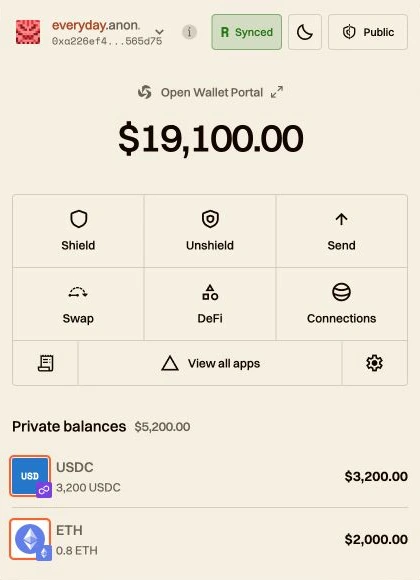
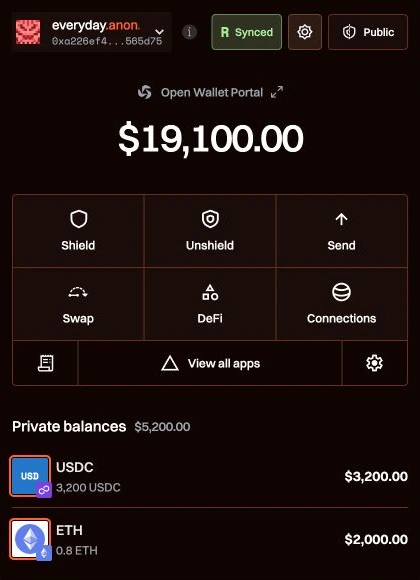
Keep public and private balances together. Connect to dApps, review their requests, and approve what happens next.

Explore the extension→

Installs from the Chrome Web Store.

Mobile

02
Made to go with you

Android · iOS

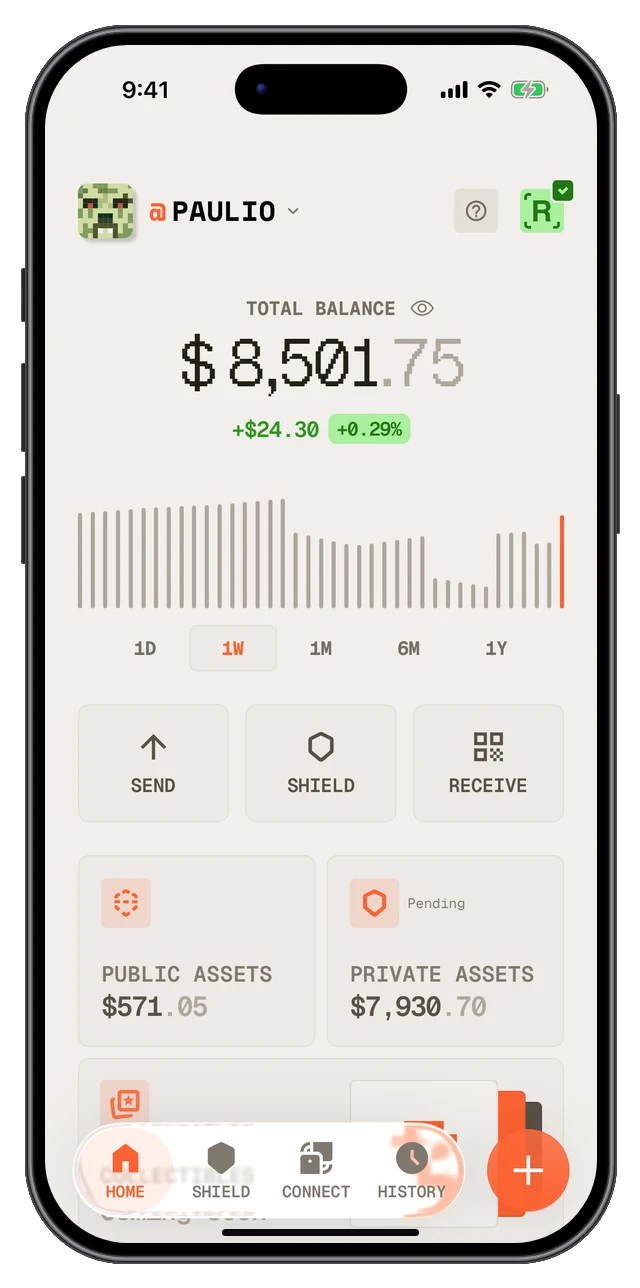
Take your wallet with you.

Send, receive, and pay people from your phone. Share your QUBRA PRIVACY profile and keep your wallet close, wherever your day takes you.

Explore QUBRA PRIVACY Mobile→

Google Play for Android. App Store for iOS.

Portal

03
Your wallet, with more room

Included with the extension

A bigger view of your money.

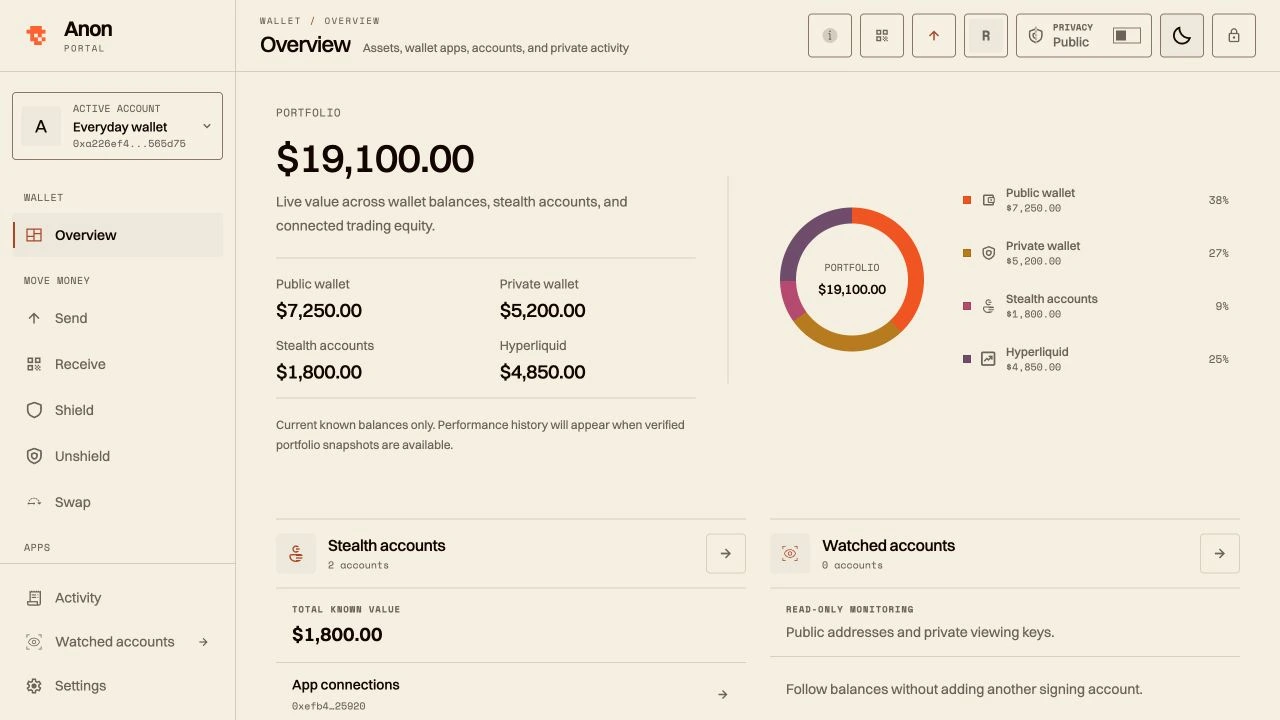
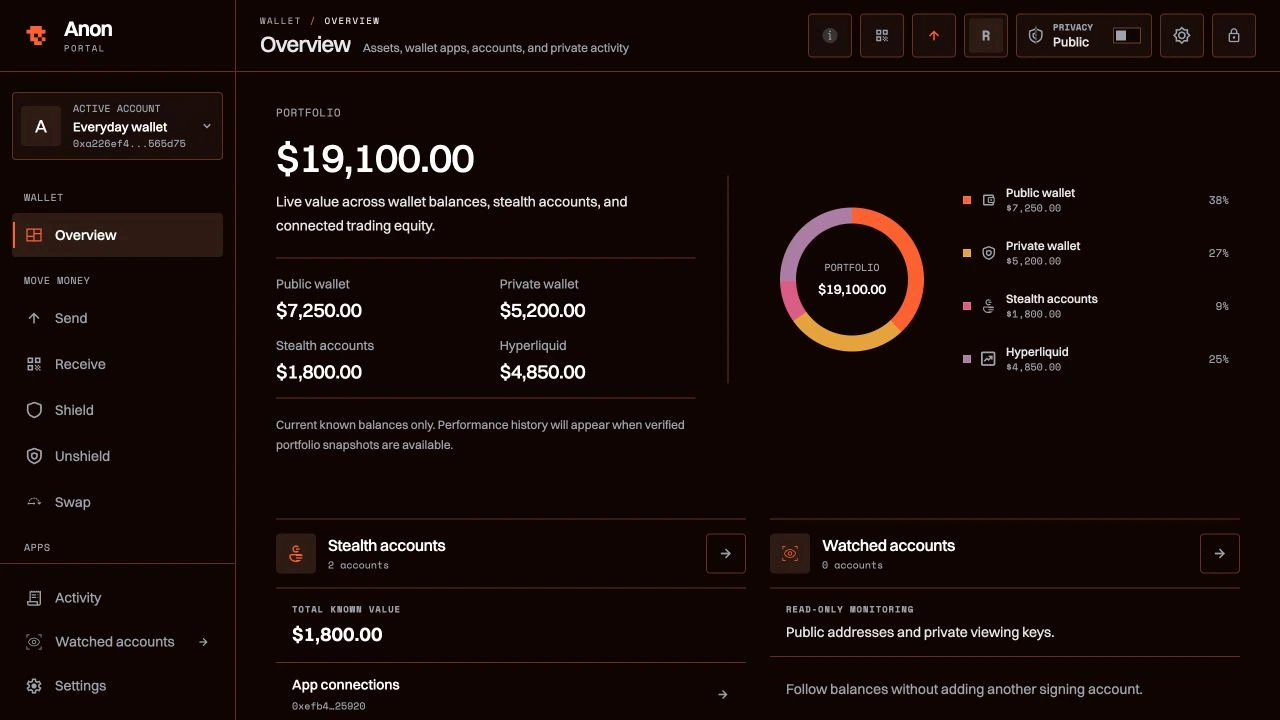
Open your extension wallet in a full-page workspace. Manage balances, swaps, and positions with more room to see what you’re doing.

Explore QUBRA PRIVACY Portal→

Open Wallet Portal from your extension. No separate install.

02 / Tools

A little more around your wallet.

A name to share, a connection to your VPN, and a window into public onchain activity.

UsernamesQUBRA PRIVACY.buzz · Public profiles

A name people can find and pay.
@maria
m
@mariaanon.buzz/maria
Pay @maria

A familiar way to find you.

Give your wallet a name people can remember. Share your anon.buzz profile so someone can scan or copy the address you choose to share.

Explore QUBRA PRIVACY.buzz↗ (opens in a new tab)

Your profile is public. Choose which receive addresses you share.

Network GuardmacOS · Apple silicon & Intel

Connect your VPN app to QUBRA PRIVACY.
QUBRA PRIVACY Network Guard
ConnectedYour VPN app is connected

VPNConnected

QUBRA PRIVACY in ChromeLinked

Auto-connect

Bring your VPN into the picture.

Connect QUBRA PRIVACY in Chrome to your existing VPN app. The optional Mac companion reports its connection state and supports setup from your wallet.

Explore Network Guard→

Reports VPN state; it does not block requests or verify that traffic uses the tunnel.

RailscanWeb · RAILGUN explorer

Explore public Railgun activity.
30d volume •••24h volume •••TVL •••
railscanSearch

Shield0x3fa2…c1d0Ethereum

Private transfer0x9c41…2e7bArbitrum

Unshield0x71be…d05aBSC

Explore the public side of privacy.

Look up public RAILGUN activity in an explorer built and run by QUBRA PRIVACY. A separate view of what’s visible onchain.

Open Railscan↗ (opens in a new tab)

Explores public onchain records, not private wallet balances.

Your next step

Where should I start?

Start with how you want to use your money.
Send and receive on the go.Get QUBRA PRIVACY Mobile→Connect to the apps you use.Get the browser extension→Manage your wallet in a bigger workspace.Explore Portal, included with the extension→

Already using QUBRA PRIVACY?

See what’s new →Read the getting-started guide ↗ (opens in a new tab)
QUBRA PRIVACY
[2026]
PROJECT

The future is private.

XDiscord ↗

Product updates, straight to your inbox.

Privacy policy
DownloadsReleasesLearnDocumentationQUBRA PRIVACY namesBrand kit

© 2026 AHLOOP LLC d/b/a QUBRA PRIVACY

All rights reserved.
PrivacyTerms of service